
AI foundations for teams
Understand useful applications, limitations, privacy boundaries and the decisions that remain with people.
Possible take-awayA short list of suitable team use cases.
Corporate AI training · Industry 4.0
For organisations introducing AI to employees, the aim is to move from awareness to careful application. Participants identify suitable tasks, practise with approved examples and review the output before it affects real work.
Discuss an AI training briefLearning pathway
These are adaptable learning themes, not a fixed syllabus. We agree the sequence, tools and duration with each organisation.
Understand useful applications, limitations, privacy boundaries and the decisions that remain with people.
Possible take-awayA short list of suitable team use cases.
Practise prompting for drafting, synthesis and analysis with clear context, constraints and review.
Possible take-awayA reviewed work sample or reusable prompt pattern.
Map a multi-step task, identify tool hand-offs and decide where human approval is required.
Possible take-awayA simple workflow map with control points.
Explore how data quality, interpretation and visualisation affect AI-assisted recommendations.
Possible take-awayA question set for checking an analysis or dashboard.
Examples are scoped to participant roles and approved material.
Discuss a suitable starting pointLearning prototype
A supplied interface screen can be a useful teaching prompt. This storyboard example lets participants ask what goes in, what is generated and who reviews it. It is not a live AI tool or software offered by Restu.
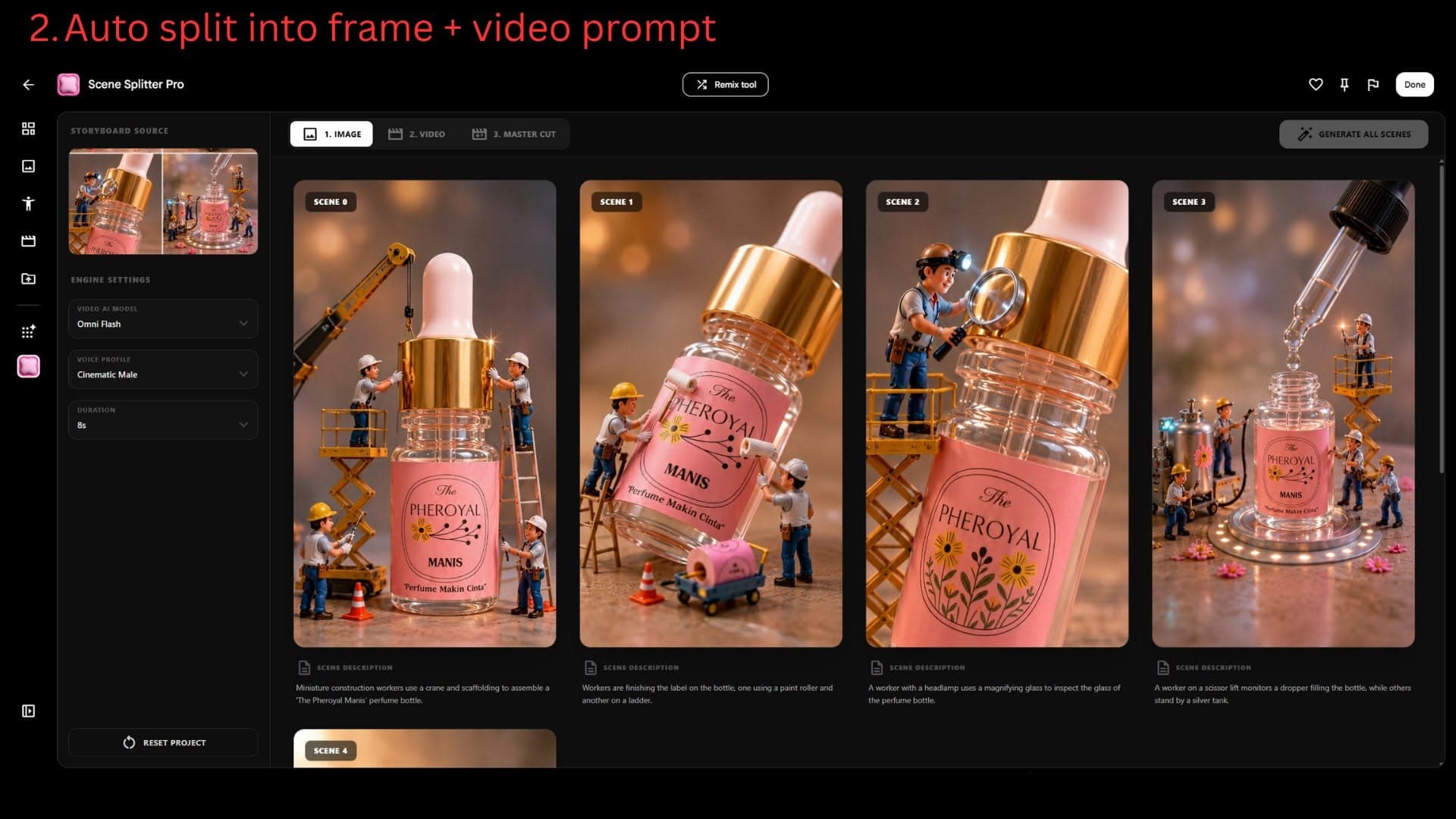
Questions to practise
What source material and outcome are appropriate?
Which suggestions need checking?
Who approves the result before use?
Adapted to the audience
Leaders discuss priorities and guardrails; operations and retail teams practise with relevant tasks; analysts and administrators focus on structured questions, sources and reporting. The exercises are agreed for the people attending.
Responsible by design
Use non-sensitive or organisation-approved material in exercises. Agree tool and data boundaries first.
Compare claims, numbers and omissions with trusted information before an output is shared or acted on.
Decide who reviews AI-generated work and who can approve a workflow action.
Planning the programme
We discuss roles, AI familiarity, suitable tasks and approved tools. The proposal confirms objectives, exercises, format, duration, assigned trainer and venue.
An AI trainer also holds Google for Education Gemini Certified Educator credentials. Current trainer accreditation is confirmed in the proposal; it does not establish provider registration or claim eligibility.
Prepare a training enquiryCommon questions
No fixed starting level is assumed. Tell us their familiarity so the exercises fit the group.
Yes. We scope exercises around relevant tasks and suitable, non-sensitive or organisation-approved material.
The proposal confirms the schedule and a suitable hotel or training-room venue for your group. No permanent venue is advertised. We discuss programmes for Kuching, Miri and elsewhere in Sarawak.